
Core Web Vitals are three measurements Google uses to understand important aspects of how a web page feels to real visitors:
- Largest Contentful Paint (LCP): how quickly the main content appears. A good result is 2.5 seconds or less.
- Interaction to Next Paint (INP): how quickly a page responds to a user interaction such as a tap or click. A good result is 200 milliseconds or less.
- Cumulative Layout Shift (CLS): how much the page unexpectedly moves around while loading. A good result is 0.1 or less.
You can test your site for free with Google PageSpeed Insights. For many Irish small-business WordPress websites, practical improvements often start with the basics: smaller images, fewer unnecessary scripts and plugins, better caching, and careful handling of third-party widgets such as chat, booking tools and cookie consent systems.
Core Web Vitals matter, but they are not magic. Google uses them as part of a broader page-experience picture, and good Core Web Vitals do not guarantee higher rankings. Useful, relevant content remains important.
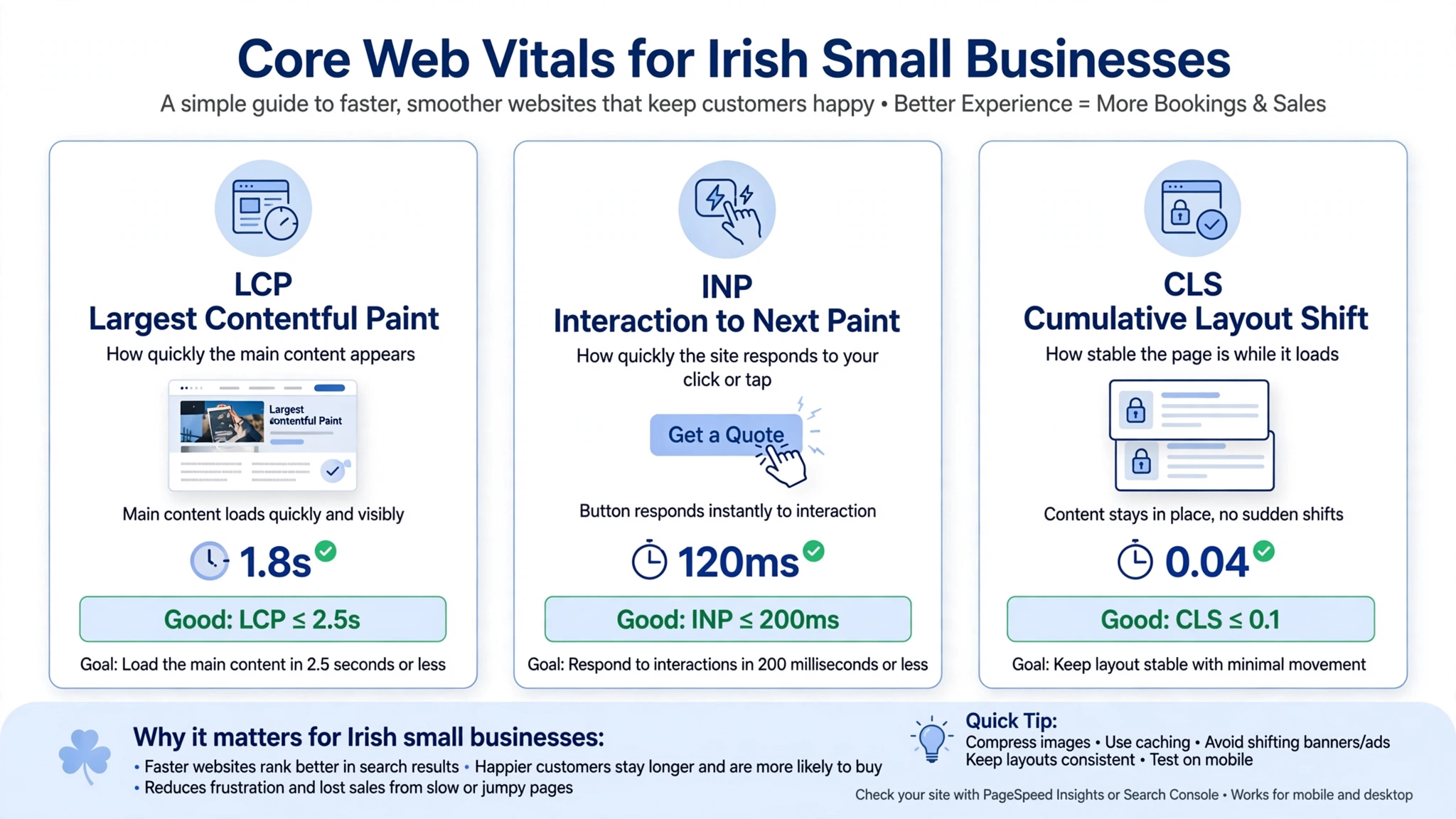
What Core Web Vitals Mean, in Plain English
Imagine walking into a shop.
- LCP is how long before the lights come on and you can see what is for sale. If the main content takes too long to appear, the visitor may leave.
- INP is how quickly the staff respond when you ask a question. If you tap “Book now” and nothing seems to happen, you may tap again or give up.
- CLS is whether the shelves move while you are reaching for something. You go to tap “Call us” and the page jumps, so you accidentally tap something else.
Here are the current Google/web.dev thresholds:
| Metric | What it measures | Good | Needs improvement | Poor |
|---|---|---|---|---|
| LCP | How quickly the main content appears | ≤ 2.5 seconds | 2.5–4 seconds | > 4 seconds |
| INP | Responsiveness to taps, clicks and other interactions | ≤ 200 ms | 200–500 ms | > 500 ms |
| CLS | Visual stability | ≤ 0.1 | 0.1–0.25 | > 0.25 |
These thresholds are evaluated using the 75th percentile of page visits, segmented by device type. In simple terms, a page needs to provide a good experience for at least 75% of measured visits to meet the good threshold for a metric.
A note on INP
If an older SEO report talks about First Input Delay (FID) instead of INP, it is using an outdated Core Web Vitals metric. Google replaced FID with INP on 12 March 2024.
Do Core Web Vitals Affect Google Rankings?
Yes, but they are only one part of the picture.
Google says its core ranking systems use Core Web Vitals and recommends achieving good results. At the same time, Google explicitly says that good results in the Core Web Vitals report do not guarantee that a page will rank at the top of Search.
Google also says Search continues to seek out the most relevant content even when page experience is sub-par. When several useful results are available, a good page experience can contribute to Search success.
So, for a business owner, think about it this way:
A faster website does not automatically beat a more relevant competitor. But a slow, unresponsive or unstable website can create a poor experience for people who are trying to contact you.
For a local business, that practical experience can matter even when there is no obvious ranking change.
How Google Measures Core Web Vitals: Field Data vs Lab Data
This is one of the most confusing parts of Core Web Vitals.
Field data
Field data comes from real users and is based on the Chrome User Experience Report (CrUX) where sufficient data is available.
PageSpeed Insights and Search Console use real-user data to show how visitors are experiencing your pages. CrUX data is based on a rolling 28-day window.
This means your own computer is not the whole story.
Your website might feel fast when you test it on a modern laptop with a fast broadband connection, while some visitors experience something very different on a mobile device or slower connection.
Lab data
Lab data is a simulated test. Tools such as Lighthouse use controlled conditions to diagnose potential performance problems.
It is useful because you can run a test immediately and investigate specific issues. But it does not represent every real visitor to your website.
Google’s web performance documentation describes lab data as a diagnostic tool and field data as the better representation of how real users experience a site.
Why the 75th percentile matters
Core Web Vitals field results are evaluated at the 75th percentile.
You do not need every visitor to have a perfect experience. Instead, the goal is for the 75th percentile to meet the relevant “good” threshold.
For example, if the 75th-percentile LCP is 2.4 seconds, the LCP result is considered good. If the 75th-percentile LCP is 4.2 seconds, it is poor.
Small websites may have no field data
If your Irish business website does not receive enough eligible real-user traffic, Google may not have enough CrUX data to report.
That does not automatically mean your site is slow.
It simply means there is insufficient field data for Google to report a representative result. Search Console omits URL groups when the required data threshold is not available.
In that situation, use lab testing to identify potential problems and treat the results as diagnostic guidance.
How to Test Your Website in Five Minutes
Option 1: PageSpeed Insights
Google’s PageSpeed Insights is the easiest starting point for most business owners.
- Open Google PageSpeed Insights.
- Enter the URL of your homepage.
- Click Analyze.
- Check Mobile first.
- Look for the Core Web Vitals Assessment and real-user field data if available.
- Scroll down to the performance diagnostics and recommended opportunities.
- Repeat the test for your most important service page.
- Test your contact or booking page as well.
Do not obsess over getting a perfect 100/100 performance score. The lab score is useful for diagnosis, but the real-user Core Web Vitals results are more relevant when assessing how visitors actually experience the page. Google itself advises against treating a perfect score as the goal purely for SEO.
Option 2: Google Search Console
For a broader view of your website:
- Open Google Search Console.
- Find the Core Web Vitals report.
- Review Mobile and Desktop separately.
- Look at the pages or URL groups marked Good, Need improvement or Poor.
- Investigate the groups with the most serious problems first.
Search Console’s report is based on real-world usage data from CrUX and groups similar URLs together.
For a small Irish business website, it is completely possible to have limited or no Search Console Core Web Vitals data because there is not enough qualifying traffic.

What Causes Poor Core Web Vitals on WordPress Sites?
There is no single WordPress problem responsible for every poor score. However, several patterns commonly deserve investigation on small-business websites.
| Common issue | Usually affects | Why it can matter |
|---|---|---|
| Huge, uncompressed images | LCP, sometimes CLS | Large files take longer to download, particularly on slower connections |
| Heavy page builders and themes | LCP, INP | Large amounts of code can increase loading and browser work |
| Image sliders and carousels | LCP, CLS | They can load multiple images and create layout changes |
| Too many plugins | LCP, INP | Plugins can add scripts, styles and other processing |
| Chat, booking and review widgets | LCP, INP | Third-party scripts can compete for browser resources |
| Cookie consent interfaces | CLS, LCP | Poorly implemented banners can affect layout or add extra work |
| Images without dimensions | CLS | The browser may not reserve the correct space before the image loads |
| Web fonts | CLS, LCP | Font loading can contribute to text reflow or rendering delays |
| Slow server response | LCP | Server delays can delay the entire loading process |
The exact cause should be diagnosed rather than assumed. For example, simply deleting plugins because a website has “too many” is not necessarily the right fix. A single badly implemented script can cause more trouble than several lightweight plugins.
What About Cookie Banners in Ireland?
Cookie consent deserves particular care on Irish websites.
The Irish Data Protection Commission says consent is normally required for cookies and similar tracking technologies, except for limited exemptions such as strictly necessary cookies. It also says websites must provide clear and comprehensive information and make it possible for users to manage consent appropriately.
That does not mean every Irish website legally needs a large cookie banner.
The DPC says that if a website uses only cookies that do not require consent, it may not need a banner or consent-management tool.
From a performance perspective, the practical lesson is simple:
Do not remove legally required consent functionality just to improve a PageSpeed score.
Instead, use a well-implemented consent system and test whether it causes unnecessary layout shifts or loads excessive scripts.
The Fixes That Often Make the Biggest Difference
Work through these in a sensible order. Some changes are straightforward for a business owner; others may require a WordPress developer.
1. Optimise Your Images
Images are often one of the first things worth checking when LCP is poor.
- Resize images to the dimensions at which they are actually displayed.
- Compress large files.
- Use modern image formats where appropriate, such as WebP.
- Lazy-load images further down the page.
- Do not automatically lazy-load the main above-the-fold LCP image.
- Make sure images have explicit dimensions where appropriate so the browser can reserve space.
Google’s guidance identifies images without dimensions as a common source of layout shifts, while LCP guidance highlights the importance of efficiently loading the main content.
2. Replace the Slider if It Is Not Helping
Many small-business websites have rotating hero sliders because they look impressive.
But if the slider loads several large images, uses substantial JavaScript or causes layout instability, it may be worth replacing it with:
One strong image + one clear message + one clear call to action.
For a local business, “Call now,” “Request a quote” or “Book an appointment” may be more useful than three rotating promotional slides.
3. Add Proper Caching
Caching can reduce the work required to generate and deliver pages.
Depending on your hosting environment, options may include:
- WP Rocket
- LiteSpeed Cache on compatible LiteSpeed hosting
- W3 Total Cache
- Your hosting provider’s built-in caching
Do not enable every optimisation setting blindly. Aggressive JavaScript or CSS options can break menus, forms and page layouts.
Test the website after making changes.
4. Remove Unnecessary Plugins and Scripts
Do not ask only:
“How many plugins do I have?”
Ask:
“What is each plugin doing, and does the business still need it?”
For example:
- Does the chat widget actually generate enquiries?
- Does the Instagram feed contribute anything useful?
- Does the review widget need to load site-wide?
- Does the booking system need to load on every page?
Where technically possible, load a third-party widget only on pages where customers actually need it.
This can reduce unnecessary browser work and may improve responsiveness.
5. Review Your Hosting
If PageSpeed Insights shows a significant server-response problem, investigate the hosting environment rather than endlessly compressing images.
A better hosting setup can help reduce server response time. For businesses serving Irish or European customers, hosting infrastructure and CDN configuration should be considered in relation to where most visitors are located.
A CDN can also serve cached resources from locations closer to users. Google’s web.dev guidance notes that geographical distance between users and servers can affect time to first byte and that CDNs can help deliver cached resources closer to visitors.
Do not assume that moving to an “Ireland server” will automatically solve Core Web Vitals. Measure the actual bottleneck first.
6. Reduce Layout Shifts
For CLS problems, look for anything that appears late and pushes existing content around.
Common causes include:
- Images without dimensions.
- Embeds and iframes without reserved space.
- Dynamically injected content.
- Web fonts.
- Ads or widgets that resize after loading.
- Cookie or promotional elements that push the page down.
These are among the common causes documented by web.dev.
The goal is simple:
Reserve the space before the content arrives.
7. Review Your Theme and Page Builder
If a site relies heavily on a page builder and remains slow after image, caching and script improvements, the underlying theme or builder may be part of the problem.
A redesign or migration to a lighter setup can help, but it is a larger project.
Do not rebuild a functioning business website simply because a PageSpeed report shows an amber score. First identify the actual bottleneck and the business value of fixing it.
What to Expect After Fixing Core Web Vitals
There are two different timelines to understand.
Lab results: You can often see changes immediately after making a change and re-running PageSpeed Insights.
Field data: Real-user data changes gradually because CrUX uses a rolling 28-day window. A major improvement today will not instantly replace all the older user experiences represented in the dataset.
And there is a third point:
Rankings may not change noticeably.
Core Web Vitals are only one part of Google’s broader ranking and page-experience systems. Improving them can make the website better for visitors without producing an obvious position increase in Search.
That is not a failure.
A website that loads faster, responds properly and stays stable can simply be a better website for the people who are already finding it.
Common Core Web Vitals Myths
| Myth | Reality |
|---|---|
| “You need a PageSpeed score of 100 to rank.” | No. The 0–100 performance score is a lab metric. Google does not say that achieving 100 guarantees rankings. |
| “Fast websites always outrank slow websites.” | No. Google continues to prioritise relevant content and uses many signals. |
| “Core Web Vitals are only about desktop.” | No. Review mobile and desktop separately. |
| “One optimisation plugin will fix everything.” | Usually not. Images, server response, scripts, layout and page architecture can all contribute. |
| “FID is still the responsiveness metric.” | No. INP replaced FID as a Core Web Vital in March 2024. |
| “If Search Console has no data, my website must be failing.” | No. It may simply lack enough qualifying real-user data. |
| “A cookie banner should be removed to improve CLS.” | Not necessarily. Consent requirements still apply where relevant; optimise the implementation rather than removing required functionality. |
When Core Web Vitals May Not Be Your First Priority
Not every website needs the same level of performance work.
Very small websites
A low-traffic website may not have enough field data to produce a Core Web Vitals report. In that situation, lab testing can still help identify obvious problems.
Hosted platforms
Websites built on platforms such as Wix, Squarespace or Shopify give you less control over the underlying hosting and code. Focus on the areas you can control, such as images, apps, themes, content and third-party scripts.
Complex booking or e-commerce websites
If a website relies heavily on booking systems, payment systems, product functionality or custom JavaScript, technical performance work may require a developer.
Websites with more important SEO problems
If a website has no useful service pages, poor indexing, weak content, incorrect canonicalisation or major technical SEO problems, chasing a perfect Core Web Vitals score may not be the best first investment.
If you want performance and technical SEO considered as part of a broader strategy, see our managed SEO service.
Frequently Asked Questions
What are Core Web Vitals in simple terms?
Core Web Vitals are three Google metrics that measure important parts of a page experience: how quickly the main content appears (LCP), how responsive the page is to interactions (INP), and how stable the layout remains while loading (CLS). Google’s current good thresholds are 2.5 seconds or less for LCP, 200 milliseconds or less for INP, and 0.1 or less for CLS.
Do Core Web Vitals affect SEO rankings?
Yes. Google says Core Web Vitals are used by its ranking systems, but they are only part of the overall picture. Good Core Web Vitals do not guarantee top rankings, and Google says it continues to seek the most relevant content even when page experience is sub-par.
How do I check my website’s Core Web Vitals?
Enter your page URL into Google PageSpeed Insights. Check the real-user data if it is available, then use the lab diagnostics to identify potential problems. You can also use the Core Web Vitals report in Google Search Console to review groups of pages across your website.
Why does my website pass on desktop but fail on mobile?
Different devices and network conditions can produce different experiences. A website that feels fast on a powerful office computer may require much more work on a less powerful mobile device. Review the mobile and desktop results separately and investigate which resources or scripts are causing the problem.
What is a good PageSpeed Insights score?
There is no magic score that guarantees SEO success. The 0–100 Performance score is based on lab testing. For Core Web Vitals, pay particular attention to your real-user LCP, INP and CLS results when field data is available. Google explicitly advises against pursuing a perfect score purely for SEO reasons.
How long does it take for Core Web Vitals improvements to appear?
Lab results can change as soon as you re-test the page. Field data takes longer because CrUX uses a rolling 28-day window. Search Console can therefore continue showing older user experiences after you have already fixed the website.
The Takeaway
Run your homepage and your most important service page through PageSpeed Insights and check the mobile results first.
If there is a problem, do not immediately install another optimisation plugin.
Start with the basics:
- Resize and compress large images.
- Check the main hero or LCP element.
- Remove unnecessary scripts and plugins.
- Review sliders, chat and booking widgets.
- Fix layout shifts caused by images, fonts, banners or embeds.
- Check server response and caching.
- Re-test after each meaningful change.
Then monitor your field data over time.
The goal is not a perfect PageSpeed score.
The goal is a website that loads quickly, responds when people interact with it and stays stable while they use it.
If you would like help improving your website’s Core Web Vitals, contact our SEO team for a free review.
Sources: Google PageSpeed Insights · Google’s page experience documentation · Core Web Vitals thresholds · Core Web Vitals report in Search Console · Google guidance on INP · Irish DPC cookie guidance