
A local SEO audit is a structured check of everything that affects whether nearby customers can find your business on Google. You can complete a useful first audit yourself in around two to three hours using free tools.
This checklist covers 25 checks across six areas:
- Google Business Profile — 7 checks
- Name, address and phone consistency — 4 checks
- Reviews — 4 checks
- Website on-page signals — 5 checks
- Technical health — 3 checks
- Visibility and tracking — 2 checks
Mark every item Pass, Fix or Not applicable. Then use the priority order at the end to decide what to tackle first, beginning with anything that could put your profile at risk.
At KJK SEO, we run local SEO audits for Irish businesses — this checklist follows the same structure we use, so you can work through it yourself before deciding whether you need help.
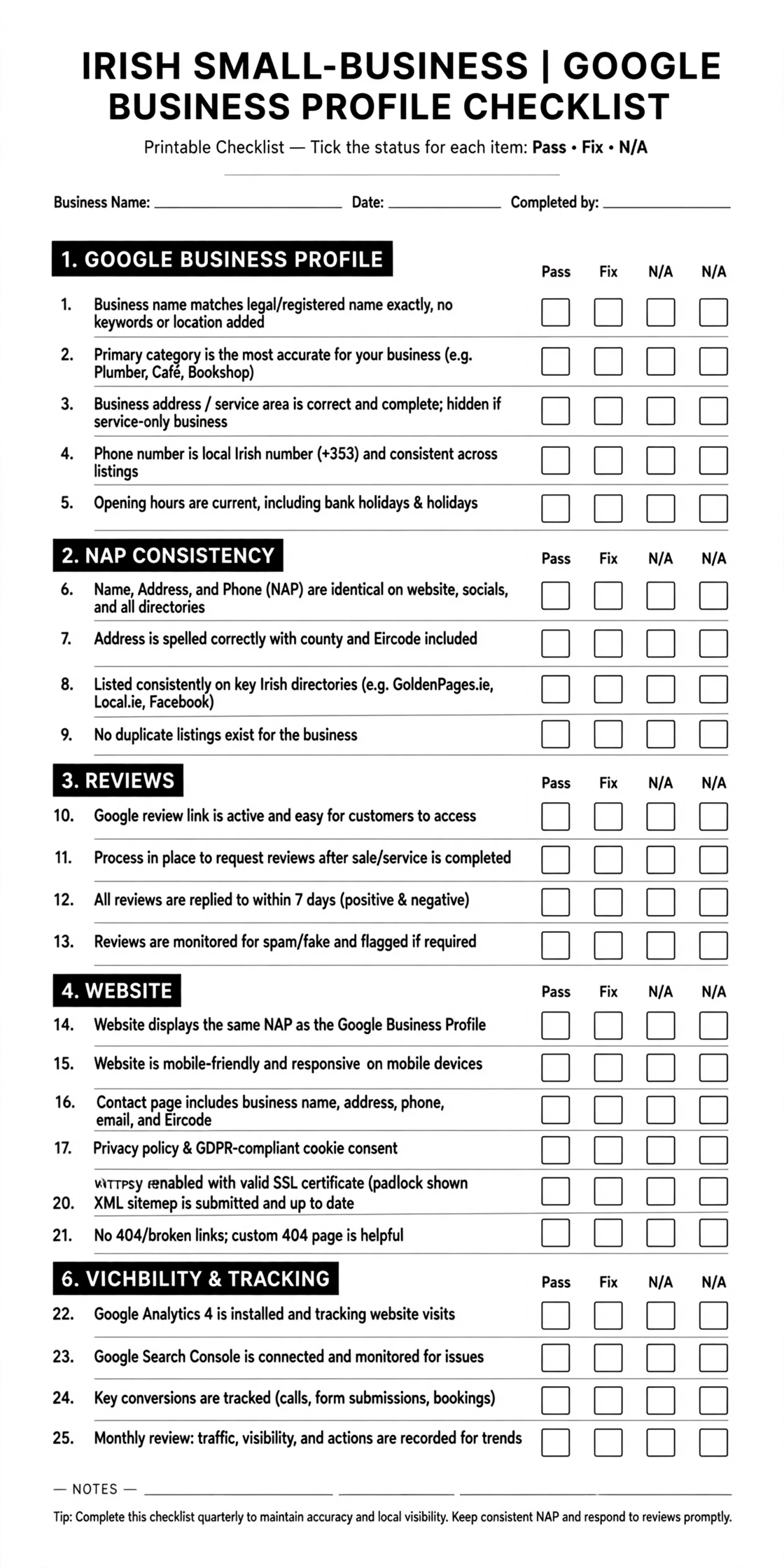
What you need before starting your local SEO audit
Gather these items before you begin:
- Access to your Google Business Profile as an owner or manager.
- Google Search Console set up for your website. It is free and provides information about how Google crawls and indexes your site.
- Google PageSpeed Insights at pagespeed.web.dev. No sign-up is required.
- A spreadsheet or printout of this checklist.
- Your master business details: exact trading name, address and Eircode, main phone number, website URL and opening hours.
Tip: Use a private or incognito browser window for Google searches. Local results vary by searcher location, device and other factors, so treat your own results as a snapshot rather than a definitive ranking report.
Section 1: Google Business Profile (7 checks)
Your Google Business Profile is a central part of local visibility. Start here, especially if you have not reviewed the listing in several months.
1. You have access and the correct ownership
Check that you can manage the profile and that the primary owner is the business or an appropriate person in the business — not a former employee or agency that no longer works with you.
Add trusted team members as managers where appropriate.
2. The business name matches your real-world name
Use the name customers recognise and see on your real-world business materials.
Do not add extra keywords, towns or slogans to the name. Google’s guidelines for representing your business require the profile name to reflect the business’s real-world name; unnecessary additions can lead to profile restrictions or suspension.
3. The primary category is the most specific accurate option
Check whether your primary category accurately describes what the business does.
Compare it with the categories used by three relevant local competitors, but do not copy a category that does not genuinely fit. Add only relevant secondary categories.
4. The address type is correct
Ask how customers actually interact with your business:
- Customers visit your premises and you have a qualifying, permanently signed location: show the eligible business address.
- You travel to customers and they do not visit your premises: hide the address and configure service areas.
- You serve customers both at your premises and at their locations: check Google’s rules for the applicable business type.
Google permits up to 20 service areas, with the overall area generally expected to remain within about two hours’ driving time from the business base.
5. The map pin marks the actual premises
Check the pin on Google Maps. It should identify the genuine business location, not a nearby road, neighbouring unit or approximate town centre.
Check the address details and Eircode against your master business record. Enter the Eircode where the profile form supports it.
6. Opening hours are accurate
Check normal hours and special hours, including upcoming Irish bank holidays.
Incorrect hours can send customers to a closed premises or make them think you are unavailable.
7. Services, description and photos are complete
Review the profile for:
- Relevant services.
- A factual business description.
- Real photos of the premises, team, equipment or work.
- Current images that accurately represent the business.
Avoid unsupported promotional claims, keyword stuffing and photos that misrepresent your location or services.
Section score: ____ / 7
Section 2: Name, address and phone consistency (4 checks)
Your business details should be accurate wherever customers and search engines encounter them.
8. Your website footer matches your Google Business Profile
Compare the business name, address and phone number on your website with the details on your profile.
Keep the information consistent and make sure any formatting differences do not change the underlying details.
Whitespark’s 2026 survey placed matching website NAP information among its local Map Pack factors. This is an industry expert survey, not a published Google ranking formula.
9. Apple Maps and Bing Places show the same details
Check your business through:
Correct outdated phone numbers, addresses, opening hours or website links.
10. Main Irish directories are accurate
Check the listings that matter to your industry and location, including:
- GoldenPages.ie.
- Facebook.
- Your trade or professional association.
- Your local chamber of commerce.
For a wider directory list, see our guide to Irish business directories.
11. Old business details are no longer live
Search Google for previous phone numbers and addresses in quotation marks.
For example:
"01 234 5678""Old Business Name""Previous Street Address"
Record any live listings that still display outdated information, then update or correct them where possible.
Section score: ____ / 4
Section 3: Reviews (4 checks)
Reviews help potential customers understand what it is like to deal with your business. Audit both your review activity and the process used to request reviews.
12. You have recent reviews
Find the date of your most recent Google review and record it.
Whitespark’s Local Search Ranking Factors 2026 expert survey ranked review recency among its local Map Pack factors. Treat this as practitioner opinion rather than a guaranteed ranking effect.
13. Reviews arrive steadily rather than in unexplained bursts
Count how many reviews arrived in each of the past six months.
A steady, genuine review-request process is easier to maintain than occasional campaigns that produce sudden spikes.
14. Every review has a suitable reply
Check that reviews receive replies where appropriate.
Replies should be:
- Specific to the customer’s feedback.
- Calm and professional.
- Free of personal, confidential or sensitive details.
- Helpful without sounding like a scripted sales pitch.
15. Your review process follows Google’s policies
Check that you are not:
- Offering discounts, gifts or prize draws in exchange for reviews.
- Asking only customers you expect to be happy to leave a review.
- Discouraging customers from leaving negative feedback.
- Pressuring customers to review while on your premises.
- Setting staff review targets or otherwise manipulating review activity.
- Dictating the wording or sentiment of a customer’s review.
Use a neutral request that gives customers the freedom to describe their genuine experience. See Google’s review policies.
Section score: ____ / 4
Section 4: Website on-page signals (5 checks)
Your website should make it clear what you offer, where you operate and how a customer can contact you.
16. Each main service has its own page
Check whether your important services have dedicated, useful pages rather than being squeezed into one general page.
For example, a heating business may need separate pages for boiler servicing, boiler repairs and heating installations if these are meaningful services it provides.
17. Page titles include the service and location naturally
Review the title tags of your main service pages.
For example:
“Boiler Servicing in Tralee | Kerry Heating”
You can search Google using site:yourdomain.ie to inspect indexed pages and the titles Google may display. Search snippets can differ from the title tag you set.
18. Location pages provide genuinely useful information
If you have town or county pages, open two side by side.
Ask:
- Is the service information specific to that area?
- Is there useful local information?
- Does the page explain what customers can actually expect?
- Is it substantially more useful than changing the town name on a template?
If the only meaningful difference is the location name, the pages need improvement. Do not create thin pages for every town simply to target more searches.
See our guide to writing location pages that rank.
19. Contact details are easy to find on mobile
Open your website on a phone and check for:
- A visible, tap-to-call phone number.
- A short and usable enquiry form.
- Clear directions or service-area information.
- A straightforward way to request a quote or appointment.
Try the phone link and submit a test enquiry to make sure they work.
20. LocalBusiness structured data is present and accurate
Check whether your homepage or contact page includes relevant LocalBusiness structured data.
Use Google’s Rich Results Test to inspect eligible structured data. A successful test does not guarantee a rich result or better rankings.
Compare the business name, address, phone number and website details with your actual business information and Google Business Profile.
See our guide to local business schema markup.
Section score: ____ / 5
Section 5: Technical health (3 checks)
Technical problems can prevent important pages from appearing in search or make the website difficult to use.
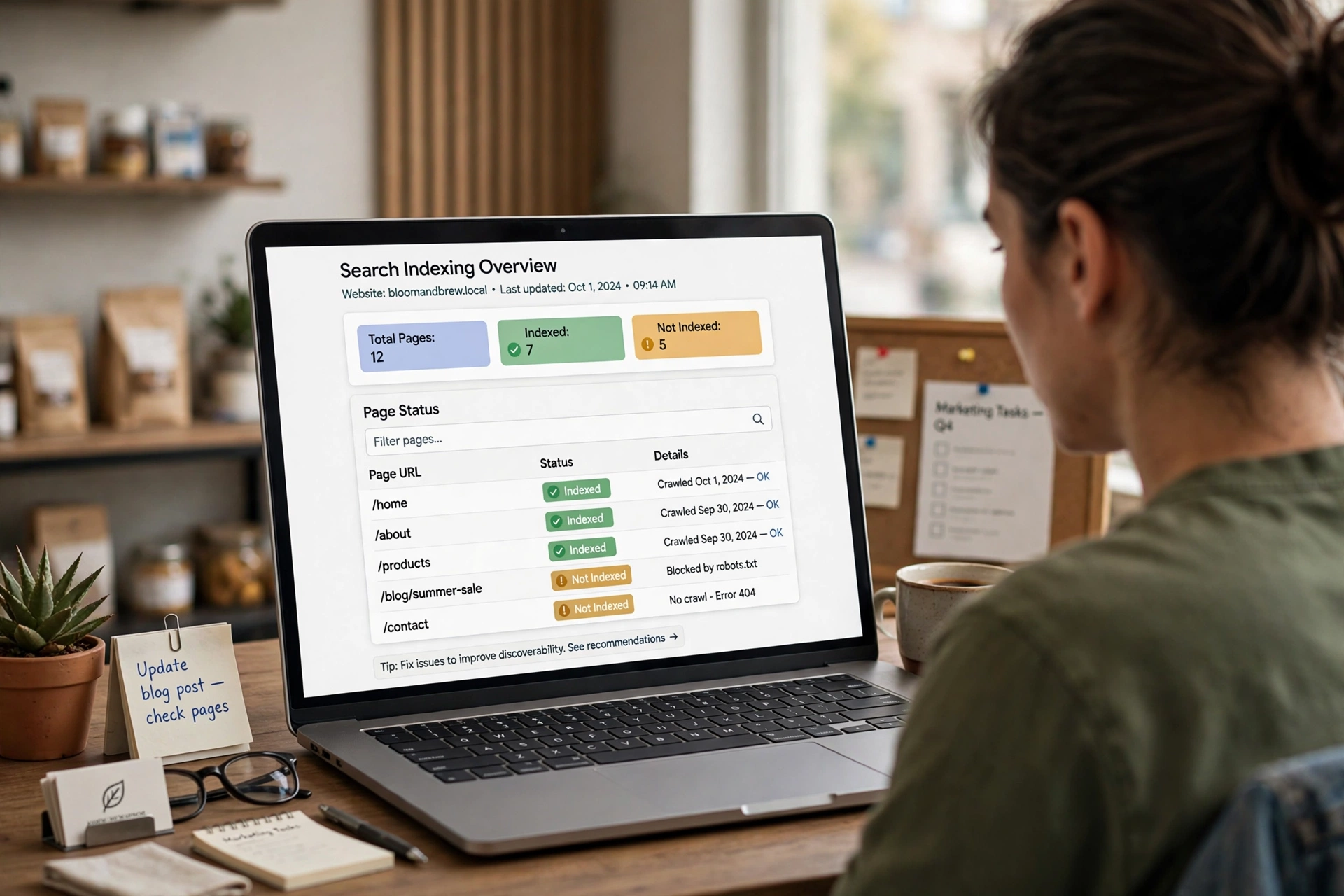
21. Google can index your key pages
In Google Search Console, open the Pages report under Indexing.
Check your:
- Homepage.
- Main service pages.
- Contact page.
- Important location pages.
Investigate important URLs reported as not indexed. Some pages may be excluded intentionally, so check the reason rather than trying to index everything.
22. There are no manual actions or security issues
In Search Console, review:
- Manual actions.
- Security issues.
For a healthy site, these reports should show no detected issues. If Google reports a problem, read the details and follow the recommended resolution process.
23. Key pages meet, or are close to meeting, Core Web Vitals targets
Run your homepage and one important service page through PageSpeed Insights, selecting mobile.
Where field data is available, check these current “good” thresholds:
| Metric | Good target |
|---|---|
| Largest Contentful Paint (LCP) | 2.5 seconds or less |
| Interaction to Next Paint (INP) | 200 milliseconds or less |
| Cumulative Layout Shift (CLS) | 0.1 or less |
Field data reflects real user experiences. Smaller websites may show no field data because there is not enough eligible traffic. In that case, use lab results to identify potential issues, but do not treat a lab score as equivalent to real-user performance.
See Core Web Vitals explained for Irish businesses.
Section score: ____ / 3
Section 6: Visibility and tracking (2 checks)
A local SEO audit should tell you not only whether your setup is healthy, but whether customers can find you and whether enquiries are being measured.
24. You know where you appear across your service area
Do not rely only on a search from your own office or phone.
For a more representative view, use a local ranking grid tool such as:
- Local Falcon.
- Whitespark Local Ranking Grids.
- BrightLocal.
Check your main search term across relevant points in your service area. Grid scans are useful snapshots, not a complete measure of business performance.
25. Enquiries are tracked
Check that you can measure the actions that matter to your business:
- Google Business Profile Performance: calls, direction requests and website clicks, where available.
- Google Analytics 4: form submissions and phone taps configured as key events.
- Customer records: ask new customers “How did you find us?” and log the answer.
If you cannot tell whether enquiries are coming from Google Search, Maps, referrals or paid ads, you will struggle to assess which marketing work is helping.
Section score: ____ / 2
Your local SEO audit scorecard
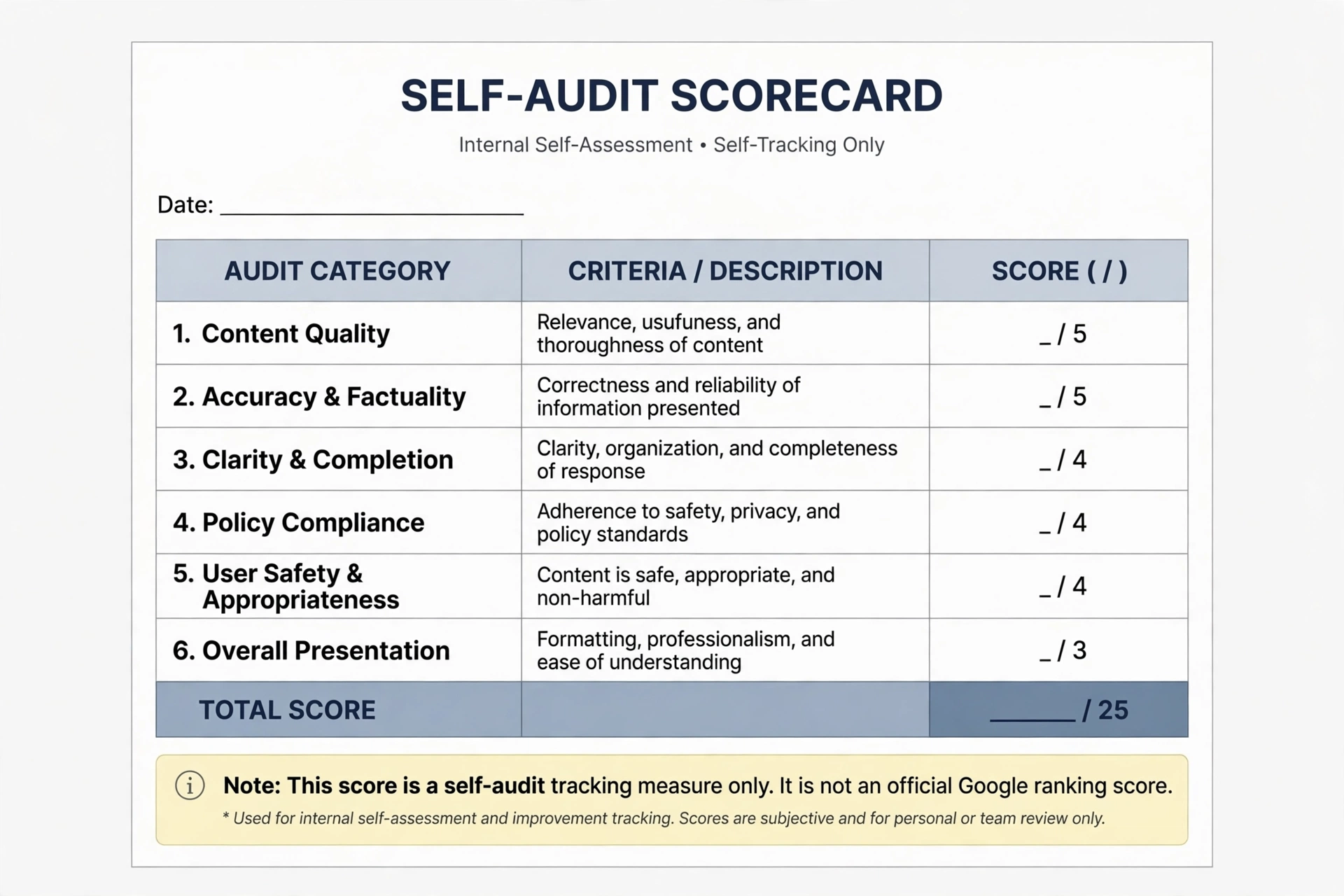
Use this table to record your Pass scores. Keep a separate list of every Fix item, with an owner and target date.
| Section | Pass score | Out of |
|---|---|---|
| 1. Google Business Profile | ____ | 7 |
| 2. NAP consistency | ____ | 4 |
| 3. Reviews | ____ | 4 |
| 4. On-page signals | ____ | 5 |
| 5. Technical health | ____ | 3 |
| 6. Visibility and tracking | ____ | 2 |
| Total | ____ | 25 |
This is a practical self-audit score, not an official Google score or a ranking prediction. Use it to see where problems cluster and to compare your progress when you repeat the audit.
What to fix first after your local SEO audit
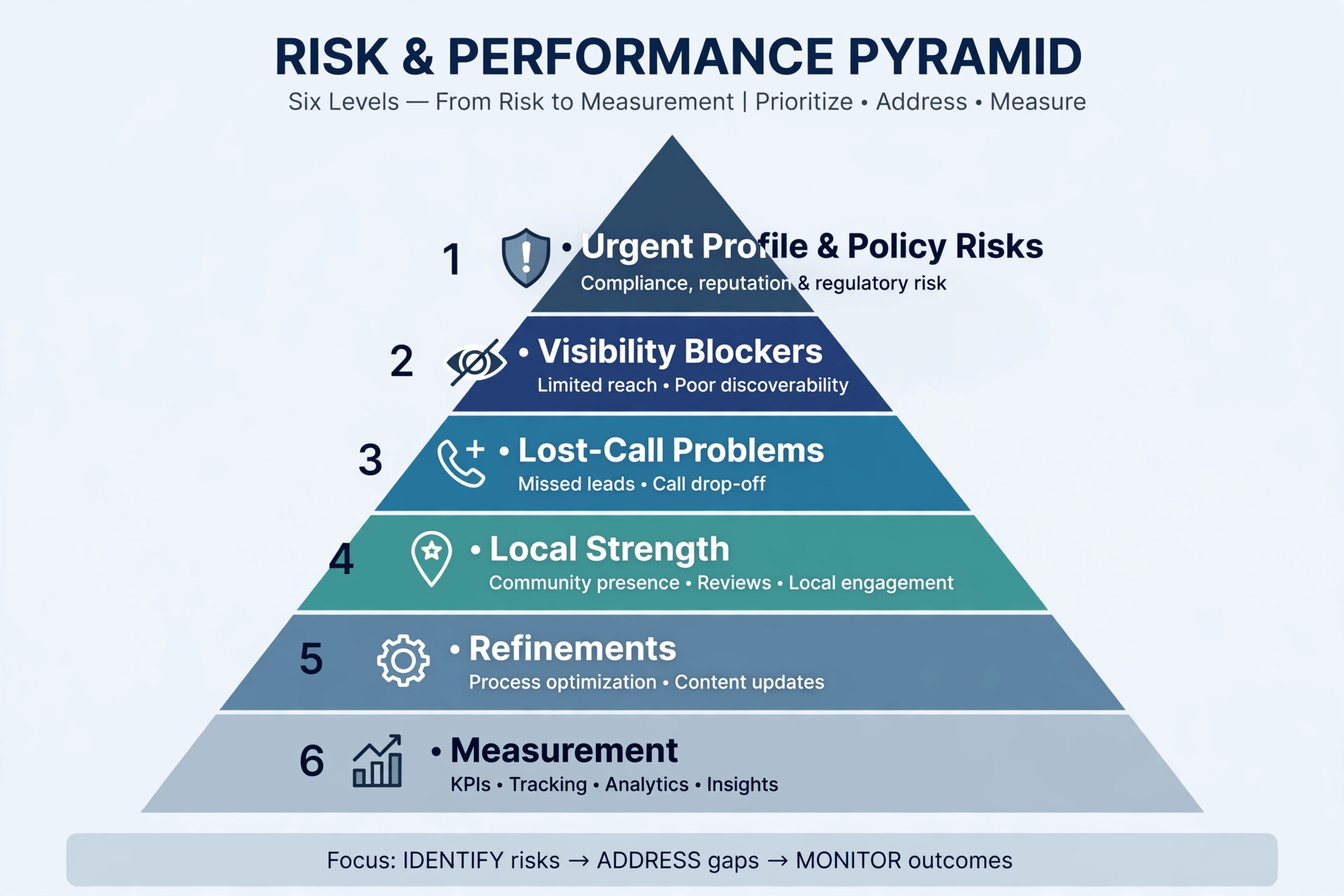
Not every Fix item has the same urgency. Use this order to plan the work.
| Priority | Checks | Why it matters |
|---|---|---|
| 1. Profile and policy risks | 2 (name), 4 (address type), 15 (review process) | These can put profile eligibility or compliance at risk. |
| 2. Visibility blockers | 3 (category), 5 (pin), 21 (indexing), 22 (manual actions) | These can prevent the business or important pages from appearing as intended. |
| 3. Lost-call problems | 6 (hours), 11 (old details), 19 (mobile contact) | Customers may reach the wrong number, arrive at the wrong time or abandon an enquiry. |
| 4. Longer-term local strength | 12–14 (reviews), 16–18 (pages), 8–10 (consistency) | These improve the quality and completeness of your local presence over time. |
| 5. Refinements | 7, 17, 20, 23 | Useful improvements, but usually less urgent than eligibility, indexing or contact problems. |
| 6. Measurement | 24, 25 | Set up measurement early so you can understand visibility and enquiry trends. |
If you find a serious suspension or eligibility problem, address that before routine optimisation. For other work, choose a manageable batch of fixes rather than changing everything at once.
How often should you repeat a local SEO audit?
Use this schedule as a practical starting point:
- Full audit: every six months, or after moving premises, rebranding, launching a new website or adding a major service.
- Quick monthly check: business name, category, hours, phone number, reviews and replies.
- Before each bank holiday: verify special opening hours.
Keep the previous scorecard so you can compare what changed, what was fixed and what remains outstanding.
Common local SEO audit mistakes
| Mistake | Better approach |
|---|---|
| Relying on one automated SEO score | Check local issues such as categories, old phone numbers and profile eligibility manually. |
| Checking rankings only from your own office | Use a grid scan alongside Google Business Profile Performance data. |
| Fixing cosmetic items first | Prioritise policy risks, visibility blockers and lost-call problems. |
| Changing everything in one day | Make profile changes carefully, especially to name, address and category. |
| Auditing once and never returning | Repeat the audit every six months and after major business changes. |
When a DIY local SEO audit may not be enough
A self-audit is useful for a single-location business, but some situations require more investigation.
- Your profile is suspended or has been suspended before. See our guide to Google Business Profile suspensions in Ireland.
- You have multiple locations. Each eligible location may need its own profile, landing page and consistency checks.
- Your website has serious technical problems. Examples include many important pages not being indexed, a recent migration or an unexplained traffic decline.
- You operate in a highly competitive market. Dublin city-centre legal, dental and other competitive services may need deeper competitor, content and link analysis.
For help with a more detailed review, see our local SEO services.
Frequently asked questions
What is a local SEO audit?
A local SEO audit is a structured review of the factors that affect how nearby customers find your business on Google. It checks your Google Business Profile, business details across the web, reviews, website pages, technical health, visibility and tracking. The result is a list of issues to fix in a sensible order.
Can I do a local SEO audit myself?
Yes. For a single-location business, many important checks require only your Google Business Profile, Google Search Console, PageSpeed Insights and a few Google searches. These tools are free. Specialist help can be useful for suspensions, multiple locations or serious technical problems.
How long does a local SEO audit take?
This 25-point checklist is designed to take around two to three hours for a small, single-location business. Finding old directory listings and checking several website pages can take longer. Fixing the issues — particularly building useful service pages or correcting citations — will require additional time.
What tools do I need for a local SEO audit?
The essentials are Google Business Profile, Google Search Console, PageSpeed Insights and Google’s Rich Results Test. Paid tools such as BrightLocal, Whitespark or Local Falcon can help with citation and grid-based ranking checks, but they are optional for a first audit.
How often should I audit my local SEO?
Run a full audit every six months and after major changes such as moving premises, rebranding, launching a new website or adding services. Check your name, category, hours, phone number and reviews monthly, and confirm special hours before bank holidays.
The takeaway
Block out an afternoon, work through the 25 checks and mark each one Pass, Fix or Not applicable. Start with profile compliance and visibility blockers, then address problems that could cost you calls. Record the score and set a reminder to repeat the audit in six months.
If you want a second pair of eyes on your results, contact KJK SEO.